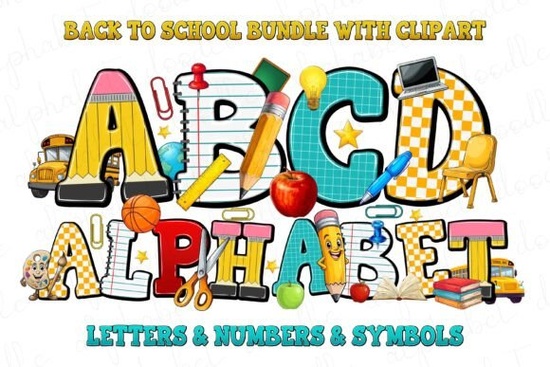
If you're looking for a cheerful, classroom-ready typeface that works well on t-shirts, lesson plans, bulletin boards, or printable back-to-school kits, the Back to School Font is a solid choice. It’s not overly playful or too serious it strikes a friendly balance between fun and functional, with bold letterforms and subtle color variations built right into the glyphs. That means no extra layering or manual coloring is needed to get vibrant results. It’s designed with educators, crafters, and small creative businesses in mind especially those who make digital downloads or physical classroom supplies.
What makes this font work so well for school-themed projects?
The Back to School Font includes full uppercase and lowercase letters, numerals, punctuation, and multilingual support (including accented characters used in Spanish, French, and German). Its “School Set” variant adds charming extras like chalkboard-style doodles, pencils, apples, and open books all as individual glyphs you can insert directly from your character map or design software. These aren’t clipart add-ons; they’re native parts of the font file, so they scale cleanly at any size and match the weight and rhythm of the text.
Unlike many “school” fonts that lean heavily into cutesy script or cartoonish outlines, this one keeps readability front and center. That’s important if you’re designing name tags, behavior charts, or classroom rules posters things kids (and their teachers) need to read quickly and clearly.
Who’s using it and how?
We’ve seen teachers use it for editable Google Slides templates, crafters apply it to vinyl-cut backpack decals, and print-on-demand sellers pair it with simple line-art illustrations for Etsy listings. One small business owner told us she uses the font across her entire back-to-school collection: matching mugs, laminated flashcards, and even editable Canva worksheets all while keeping visual consistency without switching fonts.
It also pairs nicely with more neutral sans-serifs (like Montserrat or Open Sans) for body text, letting the Back to School Font handle headlines and accents. If you like this style but want something with more energy and rainbow variation, check out the Marvel Brothers Font it shares a similar joyful spirit but leans into comic-book flair.
How does it compare to other colorful fonts on Creative Fabrica?
Most colorful fonts either rely on layered SVG files (which don’t always export smoothly from Canva or Cricut Design Space) or require manual recoloring in Illustrator. The Back to School Font avoids both issues by embedding color directly into the OpenType-SVG format. That means when you type “ABC”, each letter appears in its own soft, school-appropriate hue no extra steps needed.
It’s also lighter on system resources than multi-file bundles. You install one .zip, load one font family, and start designing. No hunting for matching icons or syncing color palettes across layers. For hobbyists working on older laptops or tablets, that simplicity matters.
Real-world tips before you download
- Test it first: Try typing your most common phrases “First Day of School”, “Welcome Back!”, or student names to see how spacing and color flow feels at your intended size.
- Check your software: Works best in apps that support OpenType-SVG fonts (Adobe Illustrator CC 2018+, Photoshop CC 2020+, Affinity Designer, Cricut Design Space v5.0+, and newer versions of Canva).
- Watch licensing: The personal license covers digital crafts, classroom handouts, and small-batch physical items (under 500 units). If you’re selling POD designs at scale or building a commercial template shop, upgrade to the extended license.
- Pair thoughtfully: Avoid stacking it with other highly decorated fonts. Let it shine alone or with clean, thin sans-serifs for contrast.
One last note: if you’re building themed bundles say, a “Back to School Starter Kit” with planners, labels, and editable banners this font gives you consistent branding across every piece. And because it’s optimized for both screen and print, your PDF downloads look sharp whether opened on a tablet or printed on cardstock.
Before you head to checkout: Download the free trial version first, open it in your usual design app, and try laying out a quick “All About Me” student worksheet or a class schedule poster. If the colors pop, the letters feel balanced, and your workflow stays smooth that’s your sign it fits.
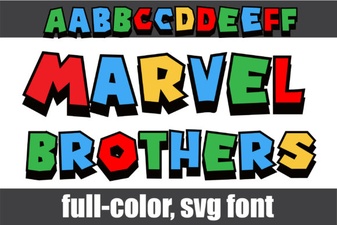 Marvel Brothers Font Design Projects
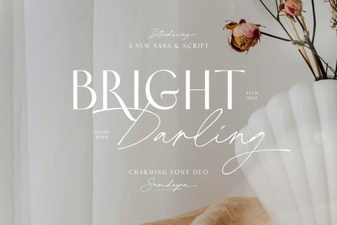 Bright Darling Duo Font for Dynamic Design Projects
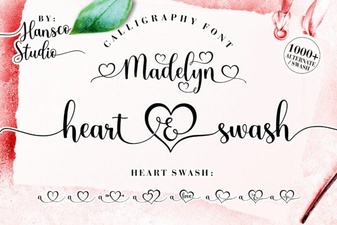 Madelyn Heart Font: Crafting Projects & Design Ideas
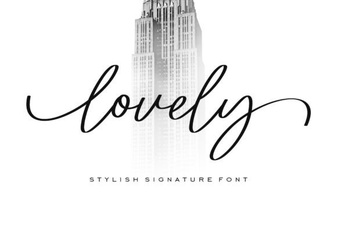 Beautiful & Creative Fonts for Your Designs
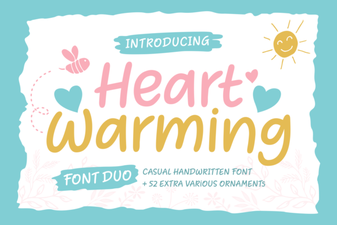 Heartwarming Fonts for Personal Projects & Design
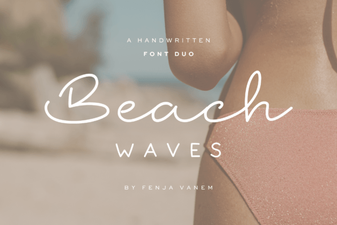 Beach Waves Duo: Free Font Pairing Ideas