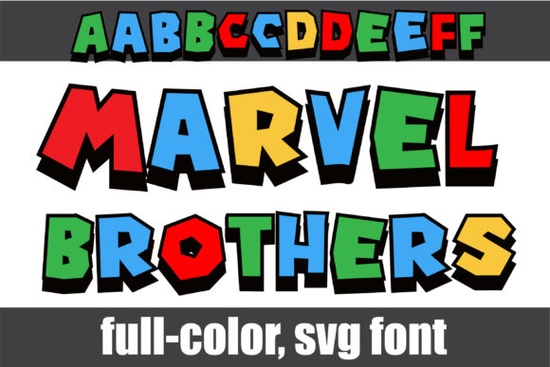
If you're looking for a bold, playful, and instantly recognizable color font that works well for kids’ designs, classroom materials, or fun branding Marvel Brothers Font fits the bill. It’s not just another alphabet set: this is a full-color OpenType-SVG font with blocky, primary-colored letters and crisp black shadows. Think of it as the kind of typeface that feels like it jumped off a vintage comic book cover bright, friendly, and built to stand out.
What makes Marvel Brothers Font different from regular fonts?
Most fonts you download are monochrome black outlines on a white background, or whatever color you manually apply in your design software. Marvel Brothers Font is different because each letter comes pre-colored in red, blue, yellow, and green, with a subtle black drop shadow baked right in. That means no extra steps to recolor glyphs or layer effects you type, and it just works (as long as your software supports color fonts).
This is an OpenType-SVG font, which is why compatibility matters more than usual. It runs smoothly in Photoshop, Illustrator, Silhouette Studio (with version 5.0+), and Inkscape. But it won’t work in Cricut Design Space the OTF and TTF files included are not compatible with Cricut machines. If you’re new to color fonts, our Ultimate Font Guide walks through setup, troubleshooting, and how to access alternate characters.
How do I use the alternate letters?
Besides the standard uppercase and lowercase, Marvel Brothers Font includes a second set of upper- and lowercase alternates. These give you visual variety slightly different shapes, angles, or spacing to keep headlines lively and avoid repetition. To access them:
- In Photoshop or Illustrator: Open the Glyphs panel (Window > Type > Glyphs) and browse or search by Unicode.
- In Silhouette Studio: Use the “Character Map” tool (under Edit > Character Map) to view and insert alternates.
- In Inkscape: Go to Edit > Insert Glyph, then choose the font and scroll through available characters.
You won’t see these alternates when typing normally they’re hidden behind the default set until you manually select them. That gives you control without cluttering your keyboard layout.
Who is this font best suited for?
Teachers and homeschoolers often reach for Marvel Brothers Font when designing posters, flashcards, or reading charts it’s legible at a glance and feels welcoming to early readers. Its cheerful palette pairs naturally with other colorful fonts used in classroom decor or digital learning slides.
Print-on-demand sellers appreciate how quickly it turns simple phrases (“Super Reader!” or “Math Hero”) into eye-catching merch especially on kids’ apparel, stickers, or tote bags. Since the colors are embedded, there’s no risk of misregistration during printing (unlike layered vector effects).
Crafters using Silhouette or Inkscape find it handy for cutting projects where color separation isn’t needed just export as PNG or SVG with transparency, and the colors stay intact. Just remember: if you plan to cut with a Cricut, you’ll need to convert text to outlines first (and lose the color), or choose a different font altogether.
Where can I preview or learn more?
If you’d like to see how Marvel Brothers Font looks across different sizes, weights, and backgrounds, Creative Fabrica offers live previews and downloadable samples before purchase. You’ll also find usage tips, licensing details, and real user examples all helpful if you’re comparing options or checking fit for your next project.
It’s worth noting that while this font shines in playful contexts, it’s not ideal for long paragraphs or formal documents. Its strength is in short bursts headlines, logos, labels, and social media graphics where personality matters more than subtlety.
A quick checklist before you install
- ✅ Confirm your design app supports OpenType-SVG (check version numbers older versions may not render colors correctly).
- ✅ Install both the OTF and SVG files (some apps require both to access all features).
- ✅ Try typing a short word first, then open the Glyphs or Character Map panel to explore alternates.
- ❌ Don’t try loading it directly into Cricut Design Space expecting full color support it won’t work as intended.
- 💡 Pro tip: Pair it with a clean sans-serif (like Montserrat or Nunito) for body text this keeps contrast high without competing for attention.
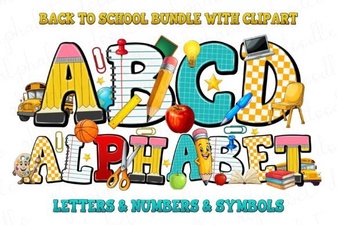 Free Fonts for Back-to-School Designs
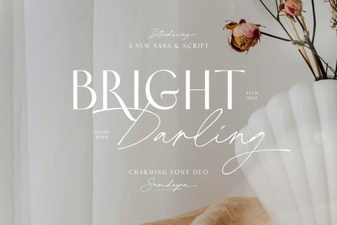 Bright Darling Duo Font for Dynamic Design Projects
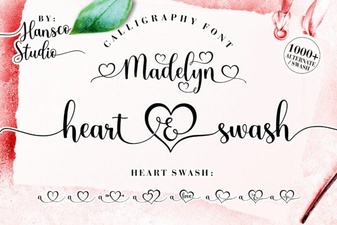 Madelyn Heart Font: Crafting Projects & Design Ideas
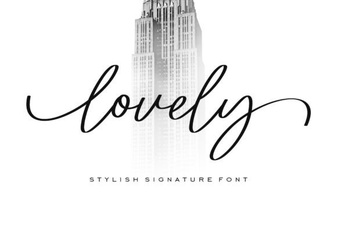 Beautiful & Creative Fonts for Your Designs
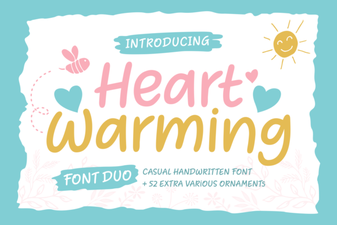 Heartwarming Fonts for Personal Projects & Design
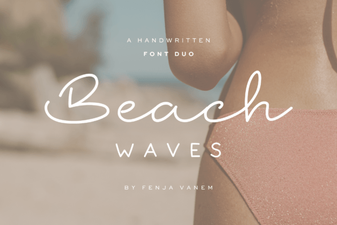 Beach Waves Duo: Free Font Pairing Ideas