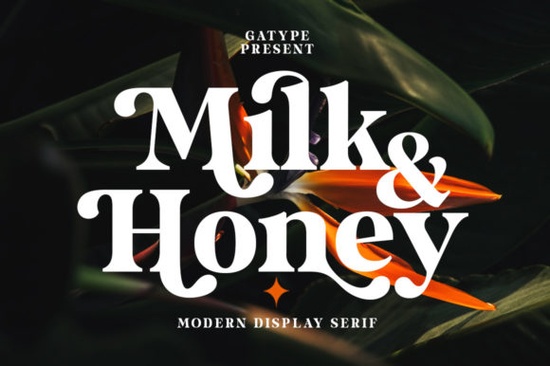
If you're looking for a bold, warm, and inviting serif font that works equally well on greeting cards, mugs, wall art, or social media graphics, the Milk and Honey Font fits naturally into many design workflows. It’s not overly ornate, but it carries presence thick strokes, subtle contrast, and a gentle rhythm that feels handmade without sacrificing readability. Whether you’re designing for a small business launch, a craft fair booth, or a print-on-demand shop, this font adds quiet confidence to your layouts.
What makes Milk and Honey different from other bold serifs?
Unlike many heavy serif fonts that lean formal or vintage, Milk and Honey balances strength with softness. Its letterforms have rounded terminals and open counters details that keep it approachable at smaller sizes and expressive at large ones. Because it’s PUA encoded, all alternate glyphs, ligatures, and swashes sit right where you’d expect them in your design app (like Illustrator or Canva), without needing special software or workarounds. You don’t need to hunt through character maps or install extra files.
This is especially helpful if you’re layering text over photos, adding quotes to Instagram posts, or building SVG cut files for Cricut or Silhouette machines. The font includes uppercase, lowercase, numerals, punctuation, and multilingual support including accented characters used in Spanish, French, and Portuguese so it’s practical for real-world use, not just display.
Where does it fit in your font collection?
Think of Milk and Honey as a go-to for moments when you want clarity and character like a hand-lettered sign that still prints cleanly on fabric or vinyl. It pairs well with simpler sans-serifs (think clean body text) or even other expressive serifs, as long as there’s enough visual contrast. For example, you might pair it with Strong Font for headlines and a neutral sans for captions.
If you enjoy fonts with warmth and texture, you’ll likely also appreciate Surfside Paradise Font, which shares a relaxed, sunlit energy but leans more script-like. Milk and Honey, by comparison, stays grounded in structure while keeping its personality visible. That makes it more flexible across categories from wedding stationery to café menus to faith-based merchandise.
Real uses that work well
- Greeting cards and invitations: Its weight holds up beautifully when printed on textured paper or foil-stamped.
- SVG files for cutting machines: Clean outlines and consistent stroke width make it reliable for vinyl, iron-on, or sublimation transfers.
- Social media banners and quote graphics: Stands out in feeds without needing heavy shadows or outlines.
- Small business branding: Works for logos or wordmarks where you want recognizability at thumbnail size.
- Print-on-demand products: Tested well on mugs, tote bags, and pillows no thin lines to disappear in printing.
One thing to keep in mind: because it’s thick and tightly spaced by default, avoid setting full paragraphs in Milk and Honey. It shines best at headline size (24pt and up) or as short phrases. For longer text, pair it intentionally not as filler, but as emphasis.
How to get the most out of it
Start by exploring the included alternates. Try swapping the standard “A” or “g” for a swash version in a logo lockup. Or use the ligatures (“fi”, “fl”, “ff”) to smooth out awkward spacing in tighter headlines. If you’re using it in Canva, paste the font name into the search bar in the “Uploads” tab after installing it’ll appear under “My Fonts.” In Adobe apps, it shows up in your font menu like any other family.
You can also layer it with subtle textures like a light paper grain or ink bleed overlay to enhance its tactile feel without compromising legibility. Just remember to test how those layers hold up when exported for web or print.
For designers who already own Milk and Honey Font, it’s worth checking if newer versions include expanded language support or updated OpenType features. Updates are usually free for existing buyers.
A quick checklist before you use it
- ✅ Confirm your design app supports PUA-encoded fonts (most do just avoid basic text editors).
- ✅ Test spacing at your intended size especially if pairing with another font.
- ✅ Check licensing: personal use is included; commercial use (like POD or client work) is covered, but redistribution or resale of the font file itself isn’t allowed.
- ✅ Preview how it looks on your final output surface screen, matte paper, ceramic, etc. since contrast and texture affect perception.
If you haven’t tried it yet, download a sample or preview it live on Creative Fabrica. Then open a blank document and type something simple a single word, a phrase, or even your name and see how it feels. Sometimes the best way to know if a font fits is to let it speak for itself, quietly and clearly.
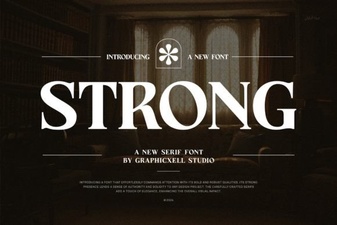 Crafting Impactful Messages with Strong Fonts
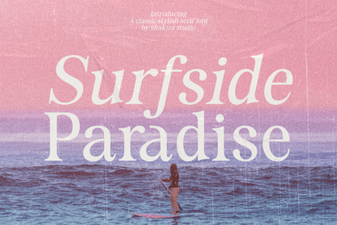 Discover Surfside Paradise Font for Creative Designs
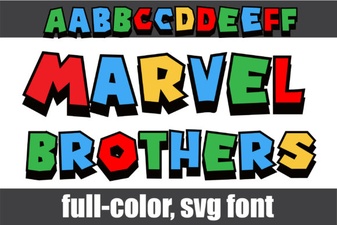 Marvel Brothers Font Design Projects
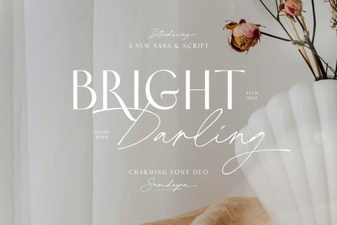 Bright Darling Duo Font for Dynamic Design Projects
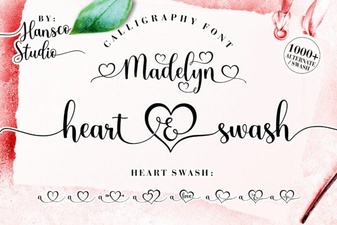 Madelyn Heart Font: Crafting Projects & Design Ideas
 Beautiful & Creative Fonts for Your Designs